Published on 15 February 2026
Artificial intelligence is changing the way businesses operate, and faster than most people expected.
Microsoft Copilot has grown from a simple productivity tool into a platform that can automate workflows, answer staff questions, and take repetitive tasks off your team’s plate.
If you run a small or medium-sized business, the question isn’t really whether to look at AI. It’s how to do it in a way that’s secure, practical, and worth your time.
Microsoft Copilot Studio lets SMEs build their own AI assistants using their existing systems and data. Get it right, and it can genuinely improve how your team works. Rush in without a plan, and it can create security headaches and more confusion than it solves.
This guide walks you through what Copilot Studio is, where it adds real value, what risks to watch out for, and how to run a structured 30-day pilot.
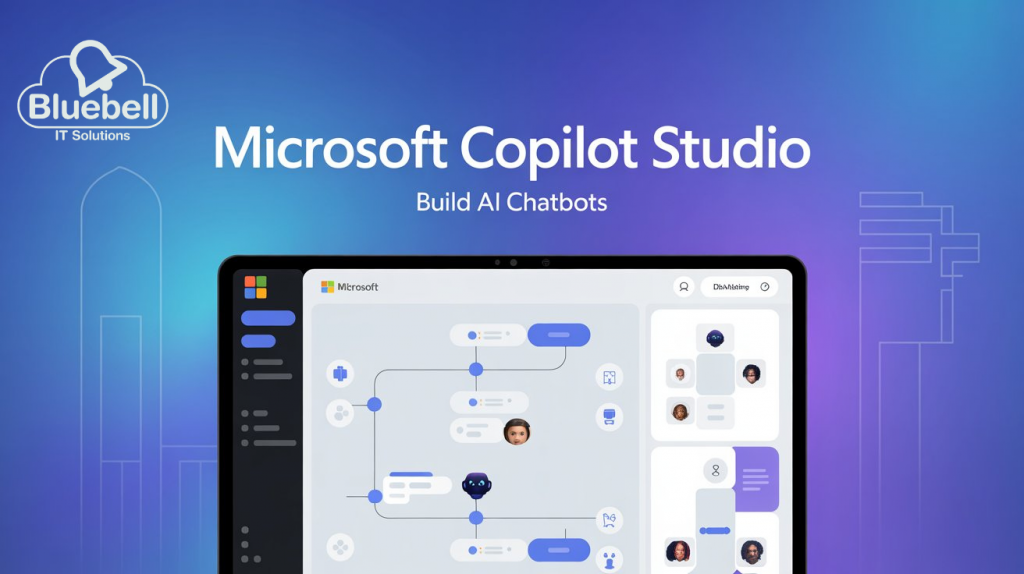
Think of Copilot Studio as a low-code platform that lets you build AI assistants shaped around your business: your processes, your data, your way of working. These assistants can pull information from SharePoint, your CRM, internal documents, and Teams channels.
This is different from the standard Copilot features you might have seen inside Word or Outlook. With Copilot Studio, you’re building structured, role-specific assistants that slot into your actual workflows rather than just responding to one-off prompts.
Because Copilot is embedded across Microsoft 365, your team can use it to draft documents, summarise meetings, analyse spreadsheets, and find internal information, all without switching between tools. As Wiggers (TechCrunch, 2025) explains, Microsoft has positioned Copilot as a deeply integrated assistant across its productivity ecosystem rather than a separate AI product.
For SMEs, this matters because Copilot Studio isn’t about experimenting with AI for the sake of it. It’s about building something practical and controlled that makes your team’s day-to-day work easier.
Copilot Studio works best when you apply it to a specific problem rather than letting it loose across the whole business. Here are some of the most common use cases for SMEs:
HR and People Operations: An internal HR assistant can answer policy questions, walk staff through onboarding steps, and pull up the right documents on demand, without the team having to email HR every time.
Sales and Proposal: Give your sales team an assistant that surfaces approved case studies, pricing frameworks, and proposal templates straight from SharePoint. Less time searching, more consistency in what goes out to clients.
Internal IT Support: A support assistant can guide users through common fixes before escalating to your IT team, freeing up your technical people for the work that needs them.
Operations and Compliance: Build an assistant that retrieves policies, explains procedures, and helps your team stay aligned with documented standards, particularly useful in regulated industries.
This shift towards AI handling structured operational tasks is a deliberate direction from Microsoft. As Nunez (VentureBeat, 2025) highlights, these agents are designed to automate structured workplace processes rather than simply generate content on demand.
Data Access and Oversharing: Copilot works within whatever permissions you have set up in Microsoft 365. If your access controls aren’t properly configured, information could end up being surfaced more widely than you intended. Wiggers (TechCrunch, 2025) notes that while Microsoft emphasises enterprise-grade security, correct configuration and governance remain the responsibility of the organisation.
Compliance and Data Boundaries: You need to know where your data is stored, how prompts are being processed, and what audit trails are available. Copilot Studio can handle sensitive business information, but it’s on you to define what’s acceptable and enforce the right policies.
Governance and Oversight Oversight: Not everything should be automated, and not every process is ready for AI. Your Copilot assistants need to be connected only to approved knowledge sources, operate within defined workflows, and be reviewed regularly. Without that structure, outputs can become unreliable and that creates more problems than it solves.
A 30-Day Copilot Studio Pilot Plan
Week 1: Define What You’re Trying to Solve – Pick a specific business problem, not just a technology goal. For example: reduce the volume of repetitive IT queries, speed up proposal creation, or improve how new starters are onboarded. Set measurable outcomes so you can actually tell if it’s working.
Week 2: Get Your Data in Order – Audit your SharePoint and Teams permissions, remove outdated content, identify which data sources should feed the assistant, and check your Microsoft 365 security settings. Most pilot problems come from poor data preparation, not technical limitations.
Week 3: Build and Test – Create a focused assistant connected only to approved content. Test it with a small internal group, gather honest feedback on accuracy and usefulness, and refine your prompts and guardrails before opening it up more widely.
Week 4: Measure and Decide – Look at your usage data, time saved, ticket volumes, and what your test group thought. If it’s working, plan a phased rollout. If it’s not quite there yet, refine the scope and don’t scrap the whole thing.
Larger competitors are already embedding AI into their day-to-day operations. SMEs that wait risk falling behind in both efficiency and responsiveness.
But unstructured adoption carries real risk too. The advantage SMEs have is agility. You can move deliberately and set things up properly without the complexity of a large enterprise. With the right structure, governance, and technical support, Copilot Studio can deliver meaningful results without being too overwhelming.
Microsoft Copilot Studio gives SMEs a genuine opportunity to build practical, secure AI assistants tailored to how they work. The value comes from careful implementation not just the technology itself.
Start small with clear goals, secure your data environment, and test thoroughly, then scale only when the results clearly justify it.
If your organisation needs help planning or delivering a secure Copilot Studio pilot, contact Bluebell IT today.

© 2026 Bluebell IT Solutions - All rights reserved
SEO and Website Design by Loop Digital